
Anúncios
Metal detector apps turn your smartphone into a portable treasure hunter, using built-in sensors to detect magnetic fields and ferrous objects around you.
Gone are the days when metal detection required bulky, expensive equipment. Modern smartphones pack magnetometer sensors originally designed for compass functionality, but clever developers have found ways to repurpose this hardware for detecting metallic objects. Whether you’re searching for lost jewelry in your backyard, checking walls before drilling, or simply exploring the beach for hidden treasures, these apps offer surprising practical value.
The technology isn’t just a novelty—it’s genuinely useful for DIY enthusiasts, contractors, and hobbyists. With accuracy levels improving through software updates and machine learning algorithms, these applications have carved out a legitimate niche in both professional and recreational metal detection. Understanding how they work, their limitations, and best use cases helps you maximize their potential.
🔍 How Metal Detector Apps Actually Work
Your smartphone contains a magnetometer sensor, a tiny component that measures magnetic field strength in microteslas (µT). This sensor was originally included to power compass apps, but it responds to any magnetic disturbance in its vicinity.


When a ferrous metal object (iron, steel, nickel) comes near your phone, it distorts the Earth’s natural magnetic field. The app monitors these fluctuations continuously, displaying changes through visual indicators, numerical readings, or audio signals. Most apps measure field strength between 30-60 µT under normal conditions, with spikes occurring when metal is detected.
The detection process happens in real-time, sampling the sensor data dozens of times per second. Advanced apps apply filtering algorithms to reduce false positives from electrical interference, distinguish between different metal types based on signature patterns, and calibrate automatically for your environment.
Sensor Capabilities and Limitations
Smartphone magnetometers typically detect ferrous metals within 5-15 centimeters (2-6 inches) of the device. This range depends on several factors:
- Object size: Larger metal items create stronger magnetic disturbances and can be detected from further away
- Metal composition: Ferromagnetic materials (iron, cobalt, nickel) produce clear signals, while non-ferrous metals (aluminum, copper, gold) create minimal or no magnetic signature
- Sensor quality: Premium smartphones often feature more sensitive magnetometers with better noise rejection
- Environmental interference: Electrical wiring, electronic devices, and reinforced concrete can mask or mimic metal signatures
Unlike professional metal detectors that use electromagnetic induction to detect all metals, smartphone apps rely purely on magnetic sensing. This means they excel at finding ferrous objects but miss non-magnetic precious metals like gold, silver, and copper.
⚡ Practical Applications That Actually Matter
Metal detector apps shine in specific scenarios where their limitations don’t hinder performance. Understanding these use cases helps set realistic expectations.
Home Improvement and DIY Projects
Before drilling into walls, ceiling joists, or floors, contractors and homeowners use these apps to locate hidden studs, nails, screws, and pipes. While dedicated stud finders offer more precision, metal detector apps provide a free backup option that’s always in your pocket.
The apps help identify rebar in concrete walls, metal brackets behind drywall, and steel beams in ceilings. This prevents costly mistakes like drilling into electrical conduits or structural supports. Many users report success rates above 80% when scanning for metal fasteners and framework.
Retrieving Lost Metal Objects
Lost keys, jewelry, tools, or coins in grass, sand, or shallow soil become findable with systematic scanning. Users slowly sweep their phone in grid patterns across search areas, listening for signal strength increases or watching visual meters spike.
Beach combing represents a popular recreational use, though expectations should remain realistic—you’ll find bottle caps, nails, and small metal debris more often than valuable items. The apps work best in clean environments without excessive metal clutter.

Educational and Recreational Exploration
Parents use these apps to teach children about magnetism, Earth’s magnetic field, and sensor technology. Kids enjoy the treasure hunt aspect, searching playgrounds and yards for metal objects while learning scientific principles hands-on.
Urban explorers and geocachers incorporate metal detection into their adventures, adding another dimension to location-based activities. The apps transform ordinary walks into investigative expeditions.
📱 Features That Separate Good Apps From Bad Ones
Not all metal detector apps deliver the same performance. Key features distinguish professional-grade applications from basic novelty tools.
Real-Time Measurement Display
Quality apps show live numerical readings in microteslas, allowing users to track exact field strength changes. Visual gauges, line graphs, and color-coded indicators provide intuitive feedback during scanning.
The best implementations include history graphs showing magnetic field fluctuations over time, making it easier to distinguish real signals from random noise. Peak-hold functions freeze maximum readings for analysis.
Calibration and Sensitivity Adjustment
Environmental baseline measurements vary by location due to natural magnetic variations and nearby interference sources. Top apps offer calibration modes that establish local baselines before scanning begins.
Sensitivity controls let users adjust detection thresholds—higher sensitivity for small objects at close range, lower sensitivity to filter out ambient noise in electrically noisy environments. Some apps auto-calibrate continuously in the background.
Audio Feedback Systems
Beeping tones that increase in frequency or volume as metal approaches allow hands-free operation. Users can focus on scanning patterns without constantly watching the screen, especially useful when searching large areas.
Premium apps offer customizable alert sounds, vibration patterns, and even Bluetooth audio support for discrete operation with earbuds.
Data Logging and Session Recording
Advanced applications record detection sessions with timestamps, GPS coordinates, and field strength data. This proves valuable for professional users who need to document findings or map underground utilities.
| Feature | Basic Apps | Advanced Apps |
|---|---|---|
| Numerical readings | ✓ | ✓ |
| Visual indicators | ✓ | ✓ |
| Audio alerts | Sometimes | ✓ |
| Calibration | Rare | ✓ |
| Sensitivity adjustment | No | ✓ |
| Data logging | No | ✓ |
| GPS integration | No | Sometimes |
🎯 Maximizing Detection Accuracy and Range
Proper technique dramatically improves results. Following tested methods increases detection success rates and reduces frustration.
Optimal Scanning Technique
Hold your phone parallel to the scanning surface at a consistent height of 2-5 centimeters. Move slowly in straight lines, overlapping each pass by 50% to ensure complete coverage. Rapid movements reduce sensor accuracy and cause missed detections.
When a signal registers, slowly move the phone in a small circle around the detection point to pinpoint the exact location. The strongest reading indicates the metal object’s position. Mark detected spots before moving to new areas.
Environmental Preparation
Remove metal jewelry, watches, and belt buckles before scanning—these create false positives. Turn off nearby electronics when possible, as televisions, computers, and power tools generate electromagnetic interference.
Scan away from building foundations, which often contain rebar and structural steel that overwhelm the sensor. Open areas with minimal metal infrastructure provide the cleanest detection environments.
Understanding False Signals
Electrical wiring in walls produces continuous signals different from isolated metal objects. Metal mesh in plaster creates uniform grid patterns. Learn to recognize these signatures through experience.
Smartphone cases with magnetic closures trigger constant alerts—remove cases before scanning. Some phone models experience sensor drift where readings slowly change without metal present; recalibration fixes this issue.
💡 What These Apps Can’t Do (Setting Realistic Expectations)
Understanding limitations prevents disappointment and helps users choose appropriate tools for specific tasks.
Non-Ferrous Metal Detection
Gold, silver, aluminum, copper, and brass produce no magnetic signature detectable by smartphone sensors. Treasure hunters seeking valuable jewelry or coins need professional metal detectors with electromagnetic induction technology.
Some apps claim to detect all metals through “advanced algorithms,” but this represents false advertising. The underlying sensor hardware simply cannot register non-magnetic materials regardless of software sophistication.
Deep Detection and Penetration
The 15-centimeter maximum detection depth limits applications. Objects buried deeper than 6 inches remain invisible to smartphone sensors, even large items. Professional detectors reach depths of 1-3 meters depending on target size and soil conditions.
Thick materials (concrete, dense soil, multiple layers of drywall) rapidly attenuate magnetic fields, reducing effective range further. Apps work best on surface scans or through single-layer obstacles.
Precise Object Identification
While apps can estimate metal mass based on signal strength, they cannot reliably distinguish between a large nail and a small pipe, or differentiate steel types. Professional detectors offer discrimination modes that filter specific metal types—smartphone apps lack this capability.
🔧 Troubleshooting Common Detection Problems
Users frequently encounter specific issues that simple fixes resolve.
Erratic or Unstable Readings
If readings fluctuate wildly without metal present, perform sensor recalibration through the app settings. Move away from electronics and metal structures, then initialize calibration in a clean environment.
Magnetic phone cases, pop sockets with metal components, and car mounts create constant interference. Test the app with a completely bare phone to isolate case-related problems.
No Detection Response
Verify that your device actually contains a magnetometer—some budget smartphones omit this sensor. Install a sensor testing app to confirm hardware presence and functionality.
Check app permissions; some metal detectors require sensor access explicitly granted in system settings. Reinstalling the app sometimes resolves glitches preventing proper sensor communication.
Weak or Short-Range Detection
Increase sensitivity settings if available. Clean the back of your phone where sensors typically reside—dust and debris can dampen sensor performance. Ensure you’re scanning ferrous metals; testing with known steel objects confirms proper operation.
🌟 Professional Alternatives When Apps Aren’t Enough
For serious metal detection work, dedicated hardware offers substantial advantages worth the investment.
Entry-Level Metal Detectors ($50-$200)
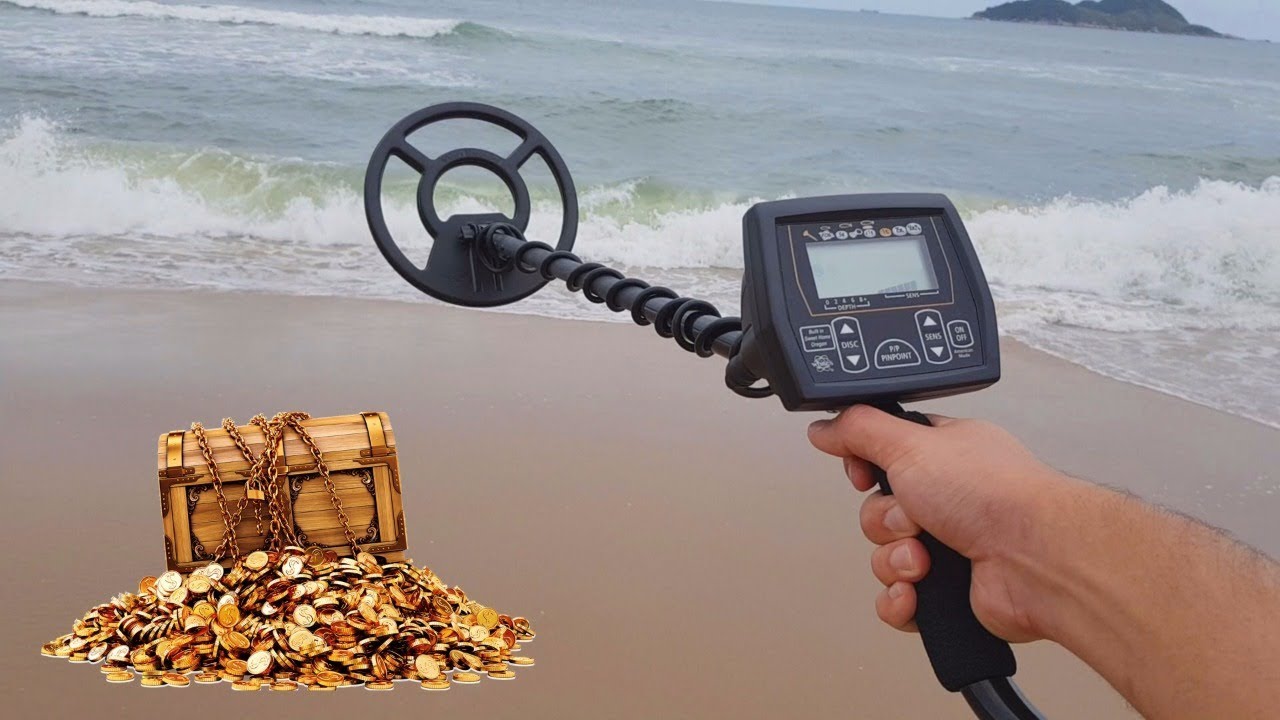
Consumer-grade detectors provide detection depths of 20-40 centimeters for coin-sized objects and 1+ meters for large items. They include discrimination features to filter unwanted metals, ground balance for mineralized soil, and weatherproof construction for outdoor use.
Popular models in this range detect all metal types including gold and silver, making them suitable for jewelry hunting, relic searching, and general treasure hunting. Battery life typically exceeds 20-30 hours of continuous operation.
Professional Detectors ($300-$1000+)
High-end units feature multiple search modes (all-metal, discrimination, pinpoint), adjustable frequency to handle different soil types, wireless audio transmission, and GPS integration for waypoint marking.
These detectors reach depths exceeding 2 meters for large objects and offer precise target identification showing probable metal type before digging. Serious hobbyists and professional treasure hunters consider them essential tools.
🎓 Getting Started With Your First Detection Session
A structured approach to your first scans builds confidence and demonstrates real capabilities.
Preparation Checklist
Download a well-rated metal detector app with positive recent reviews. Test it initially on known metal objects—keys, coins, tools—to understand response patterns and typical signal strength readings.
Choose a test location with minimal metal contamination: a backyard lawn, sandy beach, or park away from buildings. Bring items to plant and find (coins, washers, small tools) for controlled practice.
Structured Practice Exercise
Mark a 3-meter square area. Place five metal objects at various depths (surface level, 3cm deep, 5cm deep) and record their locations on paper. Systematically scan the area in grid pattern, marking detected positions.
Compare detected locations with actual positions to understand accuracy and identify missed objects. Analyze what characteristics made certain items easier or harder to find—size, depth, composition.
Building Detection Skills
Practice distinguishes strong signals from weak ones, learns to recognize interference patterns, and develops efficient scanning rhythms. Experienced users can scan areas 3-4 times faster than beginners while maintaining detection accuracy.
Join online communities where detector app users share techniques, successful finds, and troubleshooting advice. These forums provide location-specific tips and application recommendations based on real-world experience.
🚀 Future Developments in Smartphone Metal Detection
Emerging technologies promise enhanced capabilities in next-generation applications.
Machine Learning Integration
Neural networks trained on thousands of metal signatures could potentially distinguish object types based on magnetic field patterns. Early research suggests AI algorithms might differentiate between nails, pipes, and structural elements with 70-85% accuracy.
Pattern recognition could also filter environmental noise more effectively, improving detection range and reducing false positives in electrically noisy environments.
Multi-Sensor Fusion
Combining magnetometer data with accelerometer, gyroscope, and barometric pressure sensors enables 3D spatial mapping of detected objects. Apps could generate underground metal maps showing relative positions and estimated depths.
Some experimental apps already use camera-based augmented reality to overlay detection data onto live video feeds, providing intuitive visual guidance toward detected objects.
Improved Hardware Sensors
Smartphone manufacturers continue improving magnetometer sensitivity and sampling rates. Some flagship devices now feature sensors capable of measuring field changes below 0.1 µT, dramatically improving small object detection.
Future phones might include dedicated detection modes that optimize sensor performance for metal scanning, similar to existing camera modes for night photography or macro shots.
Metal detector apps represent genuinely useful tools despite inherent limitations. They excel at locating ferrous objects in shallow scans, provide valuable assistance for home improvement projects, and offer entertaining recreational exploration opportunities. Understanding both capabilities and constraints ensures satisfaction rather than disappointment, while proper technique maximizes their practical value for everyday tasks.
